How to Play Fart Together: Goal, HUD and Co-op Basics
How Fart Together works on Steam: 2–4 players share one raft, steer with fart power, and run obstacle courses, plus HUD and hazards visible in official media.
FAQ
What is the goal in Fart Together?
How does co-op work on the raft?
What do the green bar and top-right counter mean?
Are there checkpoints?
Where can I learn the controls?
Can I practice before Early Access?
What is Fart Together gameplay?
Steam sells Fart Together as a physics-based obstacle course where two to four players online share one raft and steer with fart propulsion, and official copy says success depends on direction, timing, and gas. That is the verified core of how to play Fart Together today: not a solo campaign or split-screen couch game, but coordinated online co-op on a single floating platform. Categories on the store list Multi-player, Co-op, and Online Co-op only.
This page maps what first-party text and official images actually show. It is not a strategy guide from hands-on runs. For player count edge cases, see how many players. For keys and controllers, see controls.
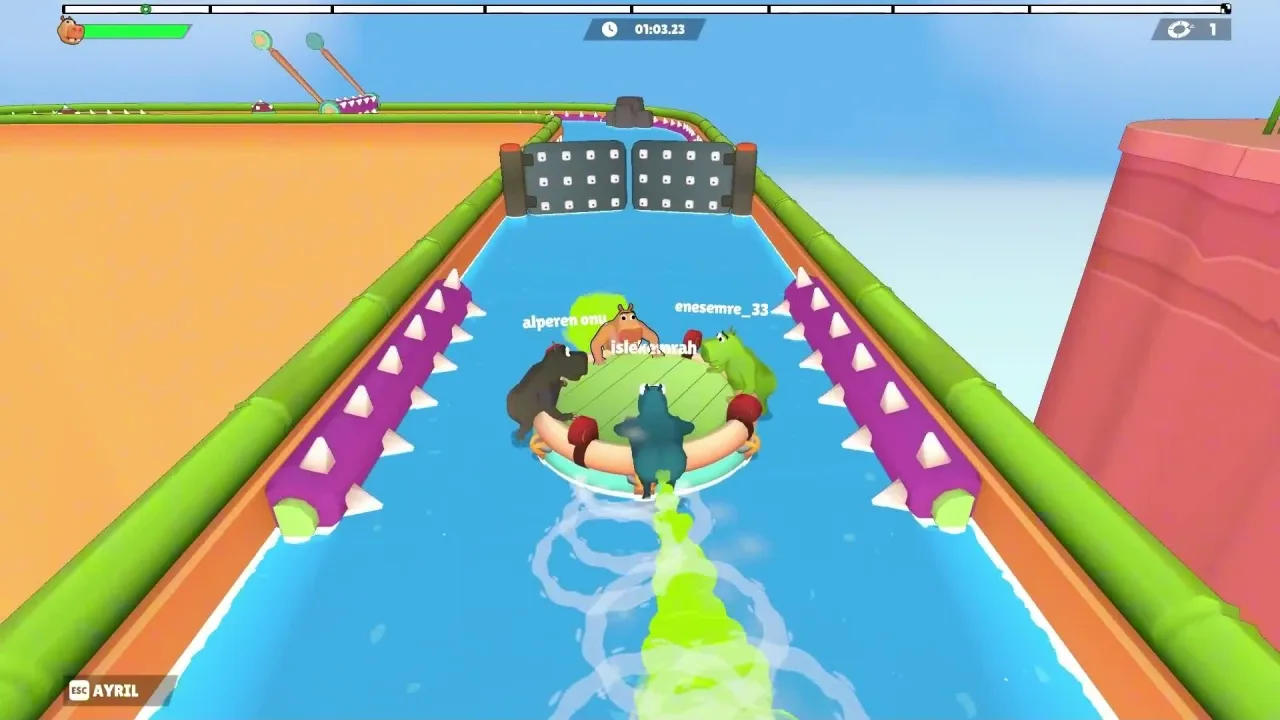
What are you trying to do on the course?
You move a shared raft through a water obstacle track from a start area toward a finish, passing checkpoint signage shown in official Steam screenshots.
The store short description calls it a physics-based obstacle course; it does not name individual level titles or publish lap rules.
Visible course markers in official media include:
- A wooden START gate at the beginning of a run (Steam screenshot; see also our start-gate capture below).
- A CHECKPOINT banner spanning the track mid-course (Steam screenshot; the visible text reads as two words, “CHECK POINT”).
- A FINISH banner and checkered progress marker at the end of a run (Steam screenshot and official trailer frames).
Whether you must hit every checkpoint, whether the timer stops at FINISH, and what happens if the raft leaves the water are not explained in Steam store text. Treat those as open until the developer documents them or you observe them in the free Demo.
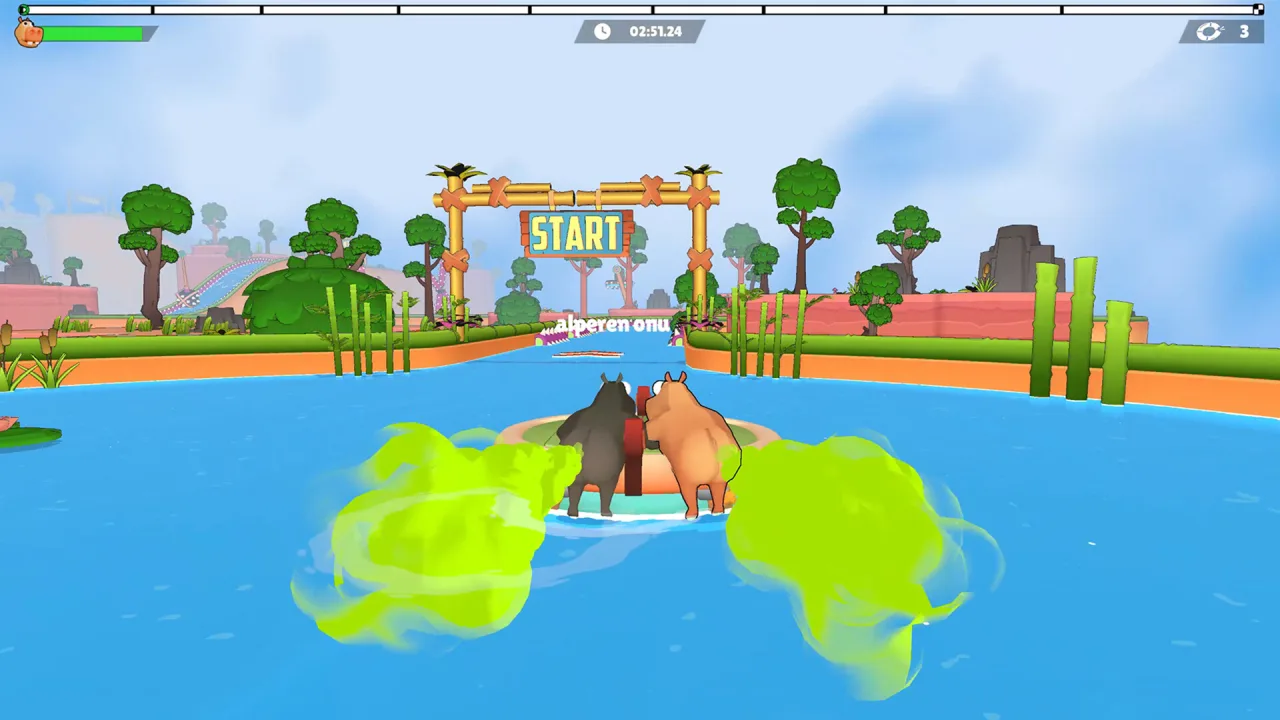
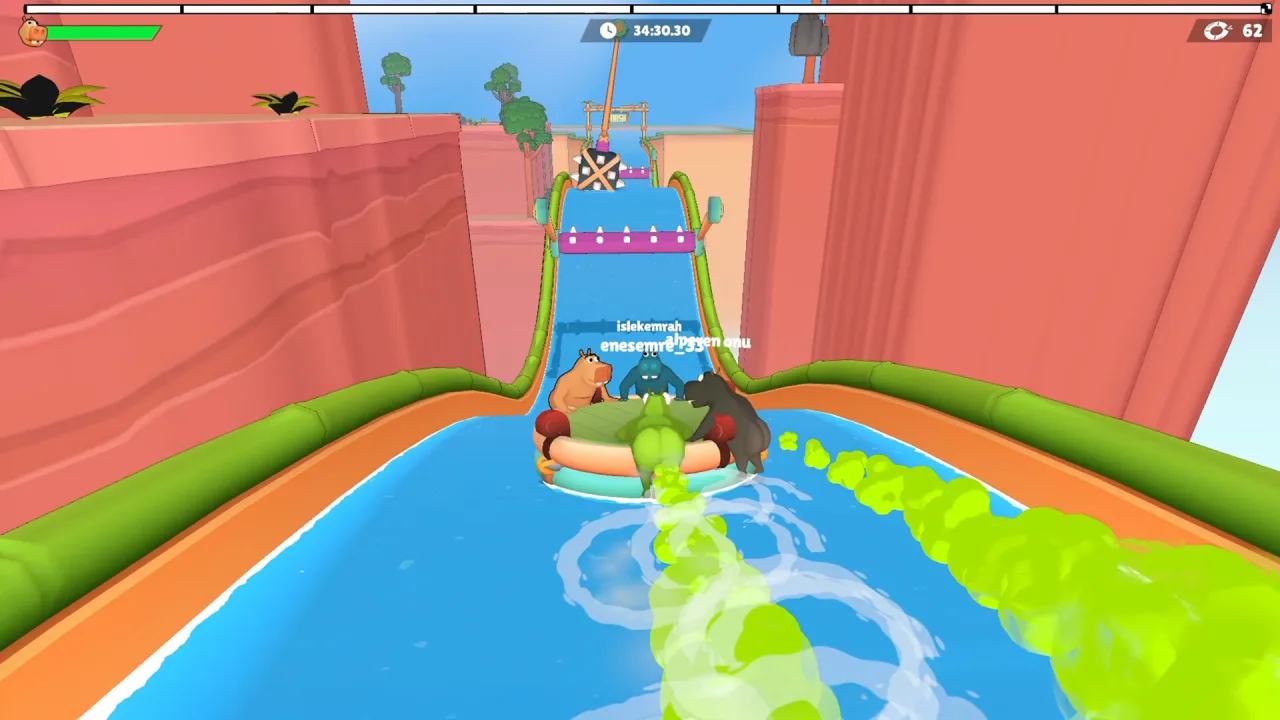
What does the HUD show?
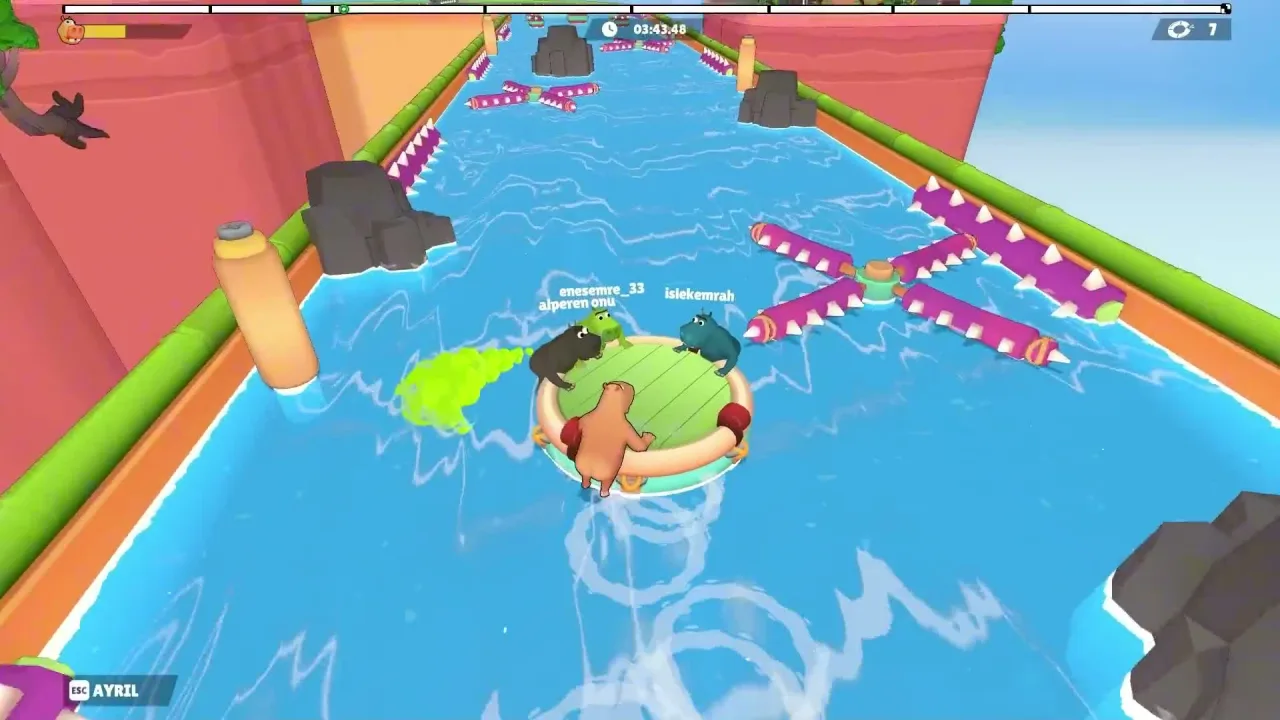
Official gameplay frames show a race-style top bar, a top-left green bar with a hippo icon, and a top-right loop-arrow icon with a number, without published definitions for the green bar or the counter.
Elements you can see repeatedly in Steam screenshots and the store trailer:
| HUD element | What we see | What is not published |
|---|---|---|
| Top center | Segmented horizontal progress bar with tick marks; digital count-up timer (examples such as 01:03.23, 08:42.97, 34:30.30 in different shots) | Whether segments equal checkpoints, laps, or coins |
| Top left | Hippo face icon beside a horizontal green bar (fill level changes between shots) | Official text says manage gas but does not label this bar or describe refill |
| Top right | Loop-arrow icon beside a number (1, 3, 8, 12, 48, 62 appear in different frames) | No store text defines this counter (not confirmed as lives, retries, or laps) |
| Bottom left (some trailer frames) | ESC beside AYRIL (Turkish leave prompt) | Movement keys are not shown in the same frames |
Some overhead trailer angles show thin green bars directly above each hippo on the raft. Store materials do not explain how those relate to the top-left green bar.
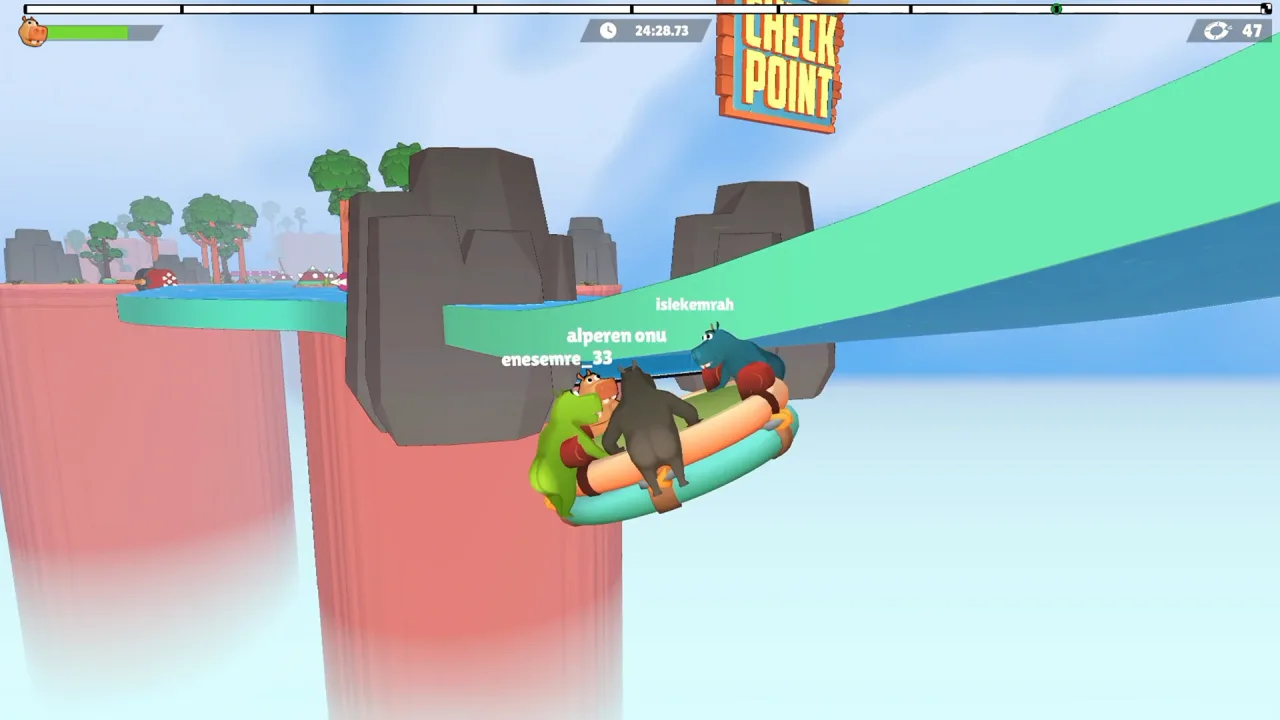
What obstacles appear in official media?
Official screenshots and the Steam store trailer show spiked canal walls, rotating spike crosses and bars, overhead spiked gates, hanging blocks, studded gates, masher jaws, floating spiked domes, and rocks, without damage or respawn rules.
The table lists only hazards we could match to files in our official asset set after opening each image. It does not claim every course uses every hazard.
| Obstacle as seen | Where it appears | What we can see | What is not published |
|---|---|---|---|
| Purple horizontal bars with white cone spikes on green canal rails | extra-raft-chaos-friendship-warning.webp, trailer-per-player-gas-bar-overhead.webp |
Spikes point inward along both banks | Hit damage, knockback, or instant fail |
| Pink four-arm rotating spike cross (magenta cylinders, white spikes) | steam-screenshot-two-hippos-pink-rotating-spikes.webp |
Cross spins in the channel ahead of the raft | Speed, safe gaps, or telegraphs |
| Pink horizontal rotating spike bar on tan pillars | steam-screenshot-two-hippos-pink-rotating-spikes.webp |
Single bar rotates between two vertical posts | Same as above |
| Purple four-arm rotating spike cross | extra-purple-spike-walls-canal.webp, trailer-raft-under-swinging-hammers.webp |
Purple arms with white spikes around a central hub | Same as above |
| Pink overhead four-arm spiked gate (curved arms) | trailer-overhead-swinging-spike-gate.webp |
Gate spans the full channel width | Whether motion is rotation, swing, or static framing |
| Purple curved spike cylinders from canyon walls | steam-screenshot-four-hippos-canyon-tentacle-obstacles.webp, extra-sharp-turn-hazard-course.webp, extra-narrow-passage-moving-obstacles.webp |
Segmented purple arms curve over the water | Movement pattern |
| Dark grey hanging block with orange X marking and spikes underneath | trailer-black-spiked-ball-purple-canal.webp |
Block hangs above a curved ramp section | Drop or swing timing |
| Grey double gate with white stud pattern | trailer-per-player-gas-bar-overhead.webp |
Two panels block the lane between orange posts | Open or close timing |
| Teal masher jaws with purple teeth on orange arms | trailer-per-player-gas-bar-overhead.webp |
Pairs of jaw blocks sit over side lanes in the background | Trigger timing |
| Green floating domes with red spikes | trailer-orange-gate-teal-masher-trap.webp |
Two dome shapes sit in the river ahead | Static or moving |
| Red circular disk on a pole (white dots) | trailer-orange-gate-teal-masher-trap.webp |
Disk faces the channel beside the bank | Whether it blocks the lane |
| Dark grey jagged rocks in the channel | trailer-raft-under-swinging-hammers.webp |
Rocks narrow the path beside rotating crosses | Collision outcome |
| Large dark sphere with white spikes next to a FINISH banner | extra-raft-physics-bounce-water.webp |
Sphere hangs from a frame short of the wooden FINISH structure | Swing motion or hit rules |
| Dark spiked object suspended above the slide (FINISH banner behind) | steam-screenshot-finish-line-canyon-water-slide.webp |
Block-like mass with spikes sits in the lane before the finish gantry | Same as above |
How does co-op steering work?
All verified sources describe one raft and fart propulsion for the whole party; Steam explicitly mentions direction, timing, and gas, not separate boats per player.
Official images always show multiple hippos on the same round raft. Green gas clouds and water splashes appear behind characters when the raft moves, matching the fart-power pitch on the store page.
What Steam does not document:
- Which player input turns the raft versus adds forward push.
- Whether each hippo has independent aim or a shared pool of gas.
- Voice chat or ping systems inside the game.
For gathering a group, the store page does not include a lobby tutorial. Read how to invite friends for verified online co-op tags and player-reported invite issues. New players should start with the beginner guide and the demo guide before Early Access on 29 Oct 2026.

What we cannot tell you yet
GamesMrkt has not published store-page rules for gas refill, falling off the raft, checkpoint respawns, or default movement controls, so we will not fill those gaps with guesswork.
Open topics as of our 24 Oct 2026 review:
- Gas rules: copy mentions gas; HUD bars are visible but undocumented.
- Failure and respawn: no official text on drowning, elimination, or retry limits; the top-right counter is unexplained.
- Checkpoint behavior: banners exist; respawn logic does not appear in store materials.
- Win conditions: FINISH signage is visible; scoring beyond the timer is not described.
- Controls: only the leave prompt (ESC + AYRIL) is confirmed on screen; see controls for keyboard and controller support tags without binding charts.
After Early Access launches, revisit this page when Steam news or in-client help screens add first-party detail.
Sources
- Fart Together (Steam App 5117550): https://store.steampowered.com/app/5117550/Fart_Together/
- Fart Together Demo (Steam App 5208630): https://store.steampowered.com/app/5208630/Fart_Together_Demo/
- Official Steam store trailer and screenshot assets (GamesMrkt / Valve CDN)
Last verified: October 24, 2026.
Related Articles
guides
Fart Together Beginner Guide: Set Up Before You Play
Fart Together beginner guide: try the free Steam Demo, check PC specs, gather 2–4 online players, know what controls are unconfirmed, and what Early Access includes.
guides
Fart Together Controls: What Is Confirmed So Far
Steam lists keyboard-only play and full controller support. Only ESC beside AYRIL (leave) is verified in the official trailer; movement binds are unpublished.
guides
How Many Players in Fart Together? Solo, 2, 3, and 4
Steam lists 2–4 player online co-op on one raft, not single-player or split-screen. Solo and 3-player starts are unconfirmed; Team Race is not in EA.
Was this helpful?
Thanks for the feedback!