Fart Together Controls: What Is Confirmed So Far
Steam lists keyboard-only play and full controller support. Only ESC beside AYRIL (leave) is verified in the official trailer; movement binds are unpublished.
FAQ
What are the Fart Together keyboard controls?
Does Fart Together have controller support?
Can you remap controls in Fart Together?
How do you leave a match?
Where can I find the real bindings before Early Access?
What Fart Together controls are confirmed today?
GamesMrkt has not published a control manual, and the only on-screen keyboard prompt we verified in official media is ESC next to AYRIL (leave). Steam still lists input options at a high level: keyboard-only play, full controller support, and Xbox and PlayStation pads on the feature list. This page states what Steam and the trailer prove, and marks everything else as unpublished.
We have not played the game on this site. When Early Access or player-verified Demo screenshots add bindings, this page will be updated.
Confirmed versus not published
| Topic | Status | What we can say |
|---|---|---|
| Keyboard listed on Steam | Confirmed | Steam shows a Keyboard Only Option on the store feature list. |
| Controller support level | Confirmed | Steam lists Full controller support plus Xbox Controllers and PlayStation Controllers. |
| Named pads (FAQ) | Confirmed | Early Access FAQ text names Xbox and PlayStation DualSense controllers. |
| Leave / quit prompt | Confirmed (visual) | Official store trailer: ESC beside AYRIL (Turkish UI for “leave”) at bottom-left. |
| Movement, steering, fart / boost | Not published | No official frame shows key or button overlays for these actions. |
| Camera, menus, emotes | Not published | No official UI screenshots for these binds. |
| Xbox / DualSense button map | Not published | FAQ confirms support, not which button does what. |
| Rebind / remapping | Not published | No verified in-game settings screen from us. |
What does the official trailer show on screen?
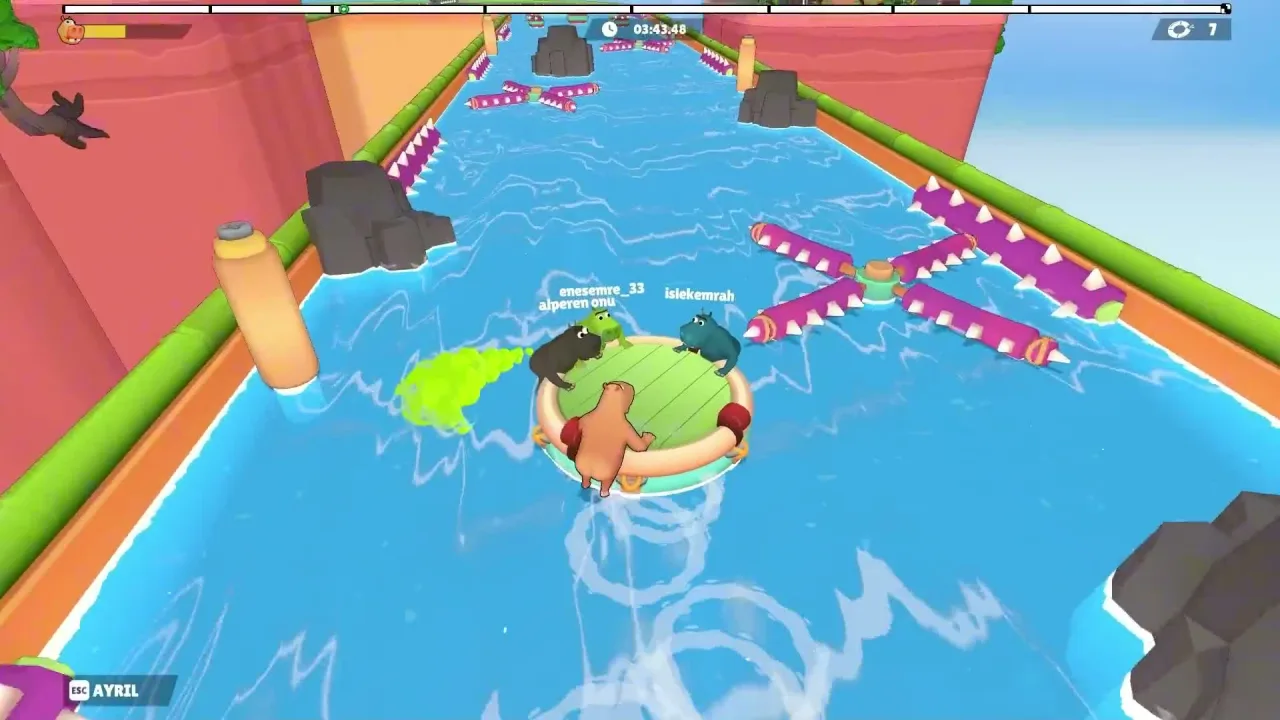
The Steam store trailer is Turkish-language gameplay, and its HUD is visible even when no control chart appears. Below is a visual inventory only. We do not interpret stamina rules, fail states, or what the top-right counter means; official text does not define those elements.
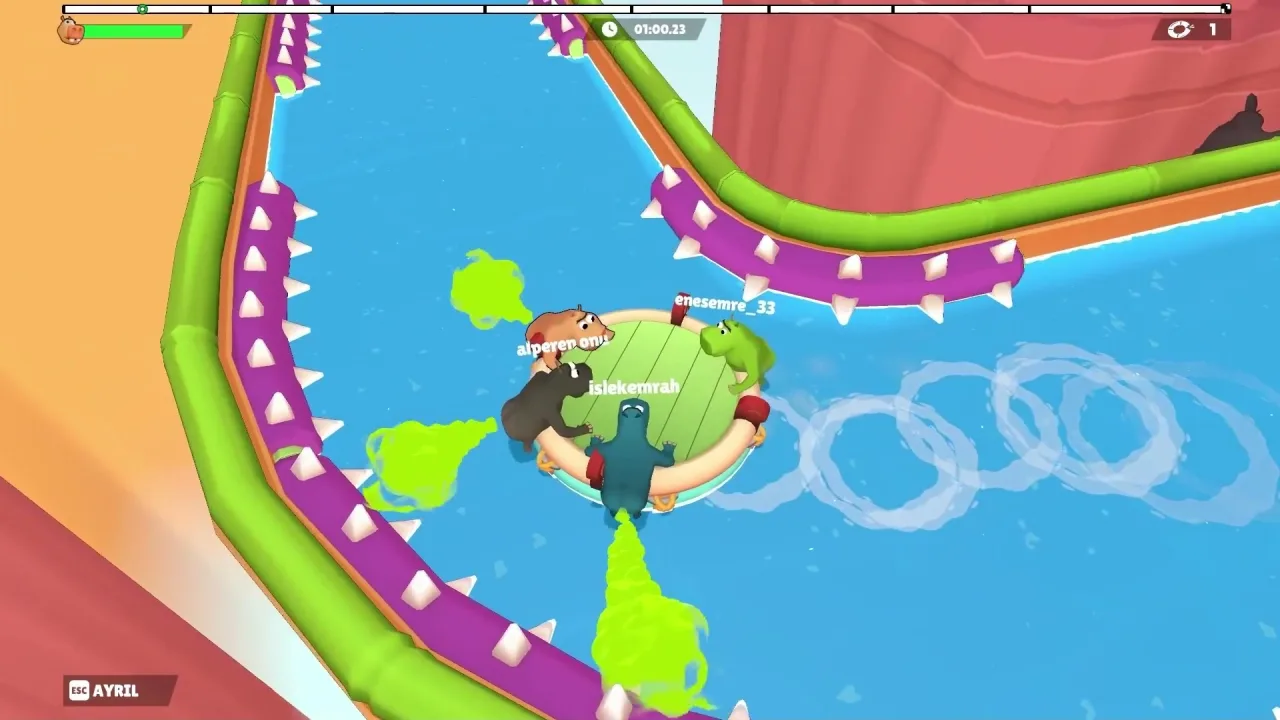
Bottom-left
A small key icon labeled ESC next to the word AYRIL. This matches the leave prompt described above.
Top-left
A hippo head icon beside a horizontal green bar. Official copy mentions managing “gas,” but the bar’s refill rules are not documented in store text.
Top center
A segmented progress bar along the upper edge and a count-up timer (for example 01:00.23 in one frame).
Top-right
A circular-arrow icon with a number beside it (values such as 1, 3, or 48 appear in different shots). GamesMrkt does not define this counter in store materials we audited.
World and players
Four hippos on one round raft, online-style usernames floating above characters, green propulsion trails in the water, and obstacle-course geometry (spiked walls, gates, swinging hazards).
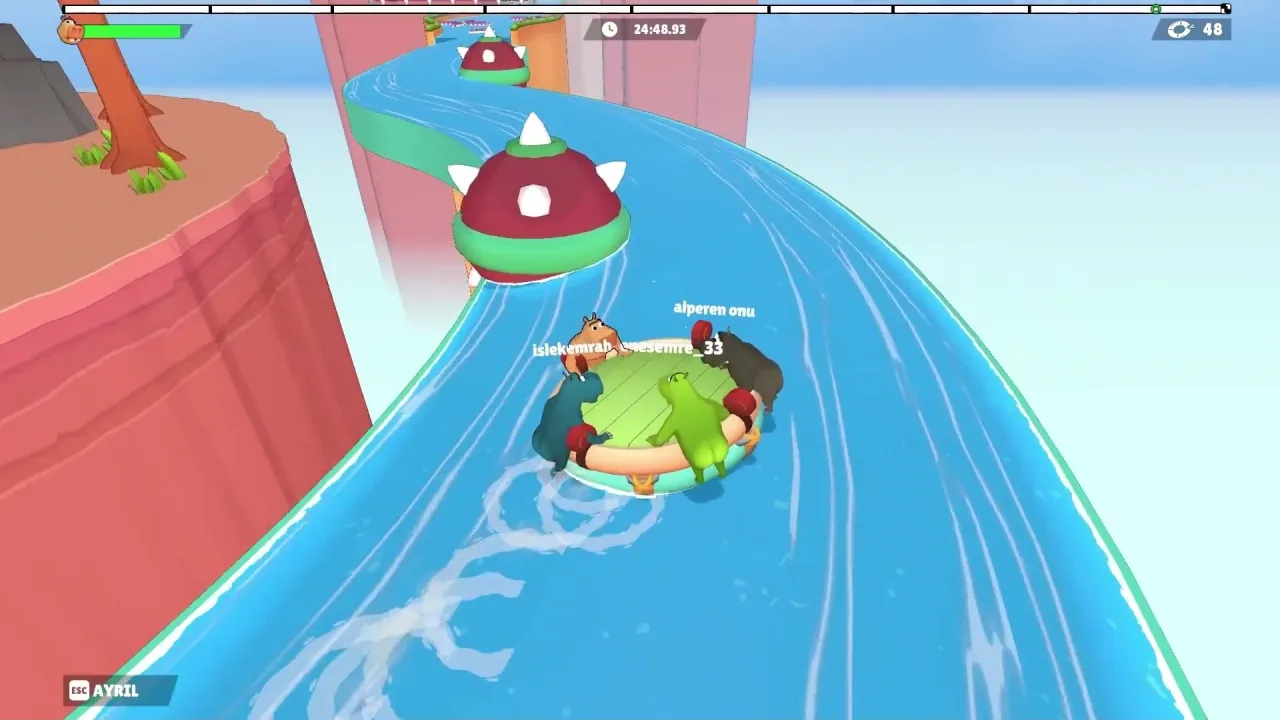
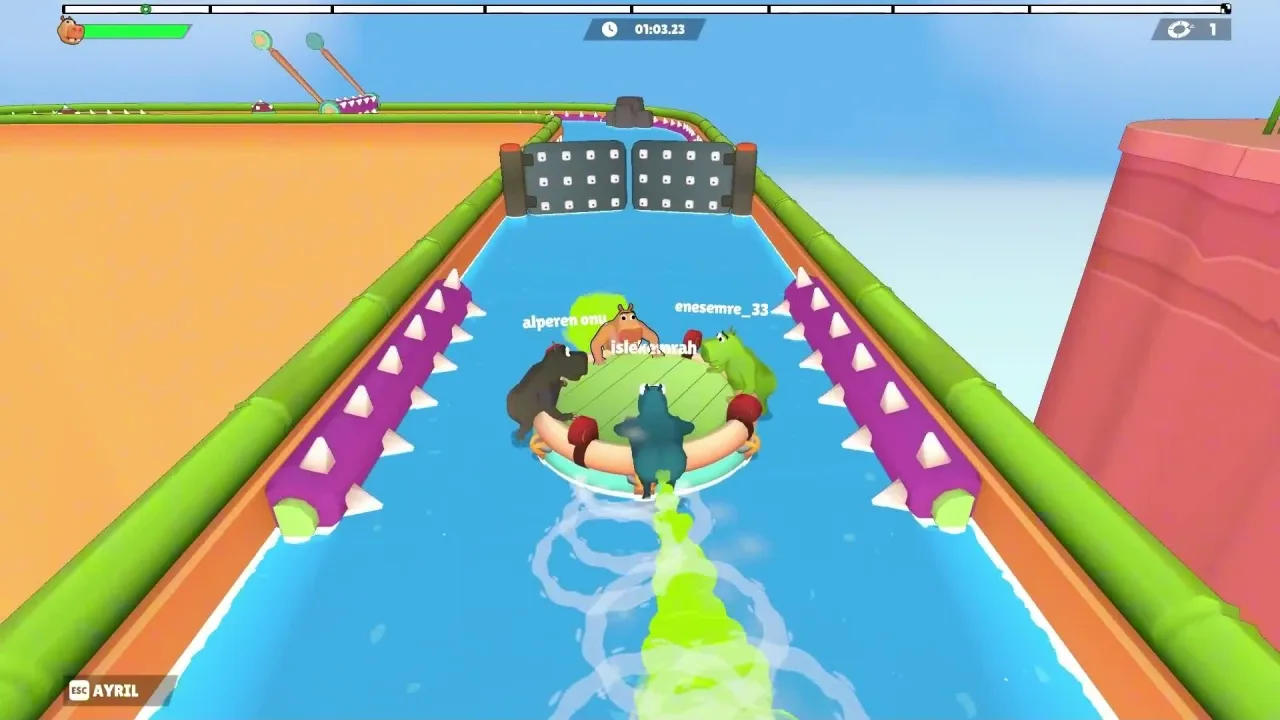
Some camera angles show thin bars above each hippo. We describe them as visible HUD elements only; we do not state how they relate to the top-left green bar.
Controller support: what Steam says
Steam lists full controller support and a Keyboard Only Option on the store feature row. The Early Access FAQ names Xbox and PlayStation DualSense controllers as supported. Steam does not publish which button steers the raft or triggers propulsion.
For how co-op sessions work once you are in-game, see how to invite friends and how many players can share one raft.
How to check the bindings yourself
The free Demo plus Steam’s standard per-game controller settings are the honest places to look, because we have not captured an in-game Fart Together settings menu.
- Install the Fart Together Demo from Steam: https://store.steampowered.com/app/5208630/Fart_Together_Demo/
- Launch the Demo and open every pause, settings, or help screen you can find. Note any control diagram or rebind list. We have not verified those screens exist; the Demo is how you confirm.
- In the Steam client, open Library, right-click the game, choose Properties, and open the Controller section. You can also open Steam Settings and review global controller options. Wording varies by Steam client version. These screens show Steam-side mappings, not necessarily the developer’s in-game defaults. We have not seen Fart Together’s own in-game layout documented officially.
If you find official or in-client binding text, compare it to this page. Anything not shown in your screenshot should stay marked unknown here.
Help us confirm
If you have verified bindings from the Demo or a preview build, send them through our Contact page with screenshots. Include the game build (Demo versus Early Access app), language, and whether the screen is in-game or only in Steam Input.
We will update this guide when:
- GamesMrkt publishes a control reference, or
- We receive reproducible in-game screenshots we can cite in Sources.
Until then, pair this page with system requirements (online co-op needs stable internet) and troubleshooting if input devices fail at the OS or Steam layer.
Sources
- Fart Together on Steam (feature tags, Early Access FAQ controller wording)
- Fart Together Demo on Steam
- Official Steam store trailer (Trailer Main Final, gameplay HUD including ESC + AYRIL)
Last verified: October 24, 2026.
Related Articles
guides
Fart Together Beginner Guide: Set Up Before You Play
Fart Together beginner guide: try the free Steam Demo, check PC specs, gather 2–4 online players, know what controls are unconfirmed, and what Early Access includes.
guides
How Many Players in Fart Together? Solo, 2, 3, and 4
Steam lists 2–4 player online co-op on one raft, not single-player or split-screen. Solo and 3-player starts are unconfirmed; Team Race is not in EA.
guides
How to Invite Friends in Fart Together: Join & Room Codes
Steam confirms 2–4 player online co-op and stable internet. Friend invites and room codes are player-reported on Steam; official lobby steps are not published.
Was this helpful?
Thanks for the feedback!